
Acquiring PaperSave documents
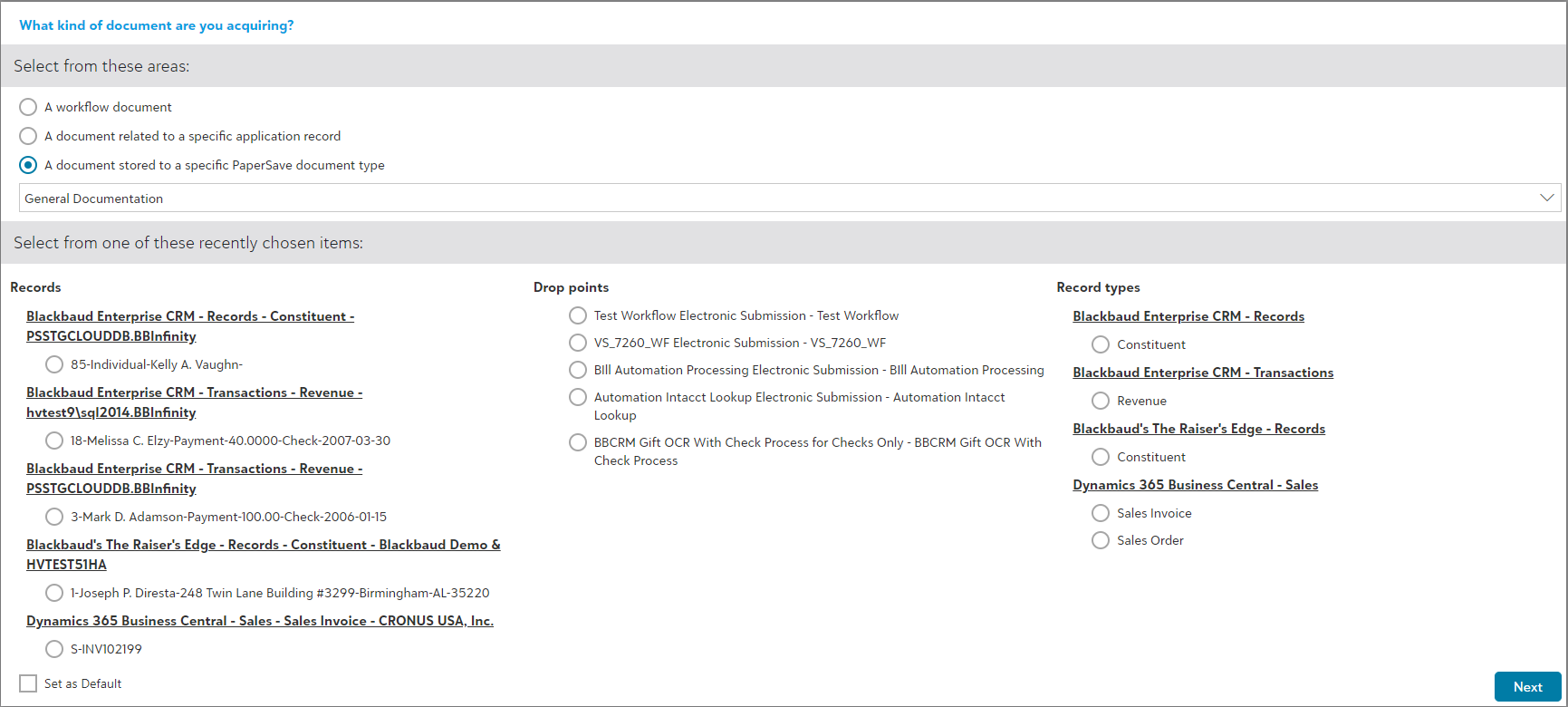
The Acquire Area allows you to add PaperSave documents. Follow the below steps to acquire document to an integrated application record:
1) Select "A document stored to a specific PaperSave document type" from the type of document you are acquiring menu as shown in the below screen.
2) Choose the document type from the list.
3) Click on "Next".
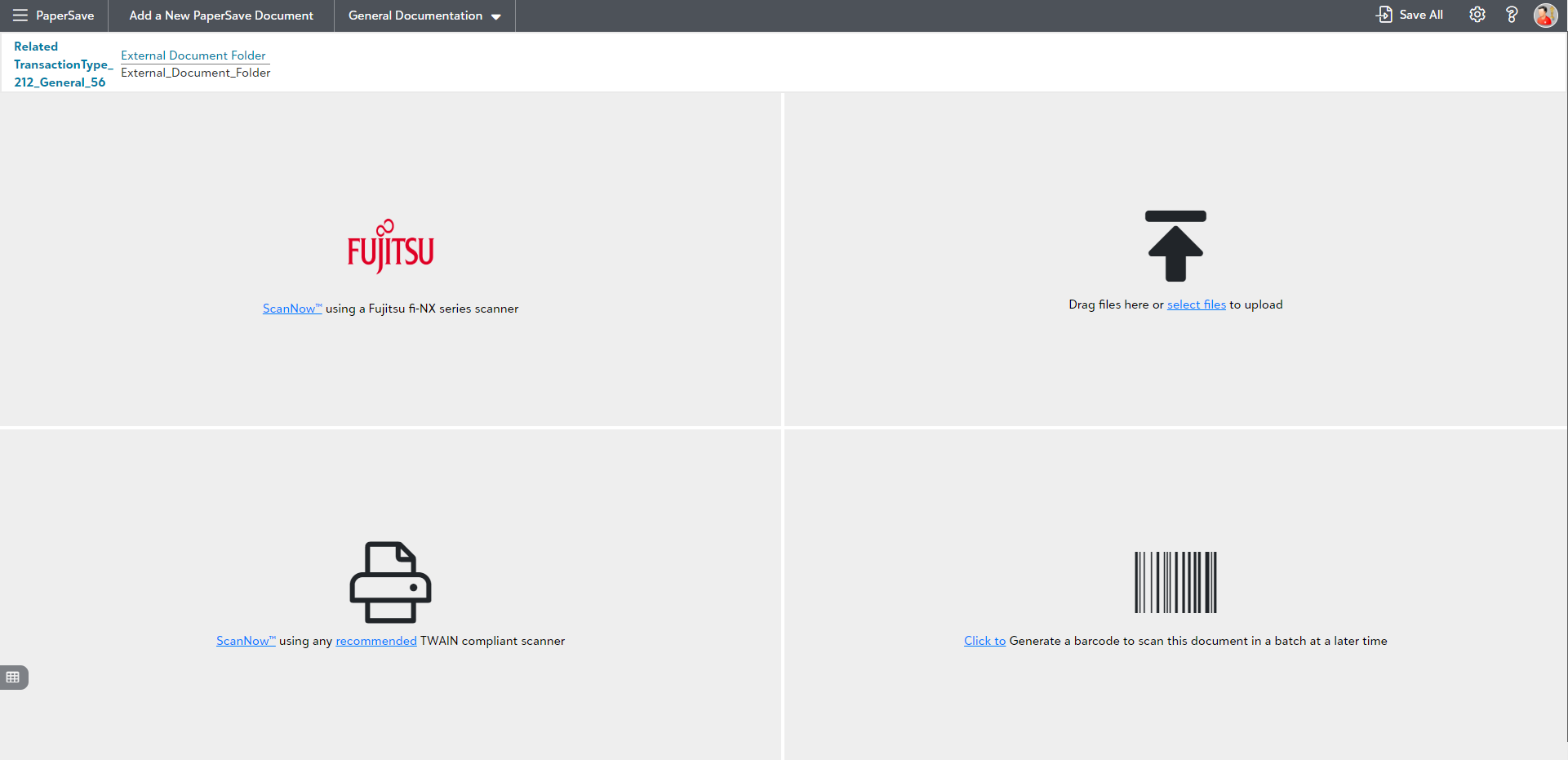
4) Select any of the below acquisition methods from the PaperSave's File Capture options panel to add the document to the desired PaperSave's document type as shown in the below screen:
- ScanNow using TWAIN Scanner
- ScanNow using Fujitsu fi-NX series scanner
- Drag files or select files to upload
- Click to generate a barcode to scan a document in a batch at a later time
5) Submit the document to the PaperSave upon validating the fields. Thus, you can successfully add documents stored to a specific PaperSave document type.